A Storefront for Qgiv’s Fundraising Platform
Impact
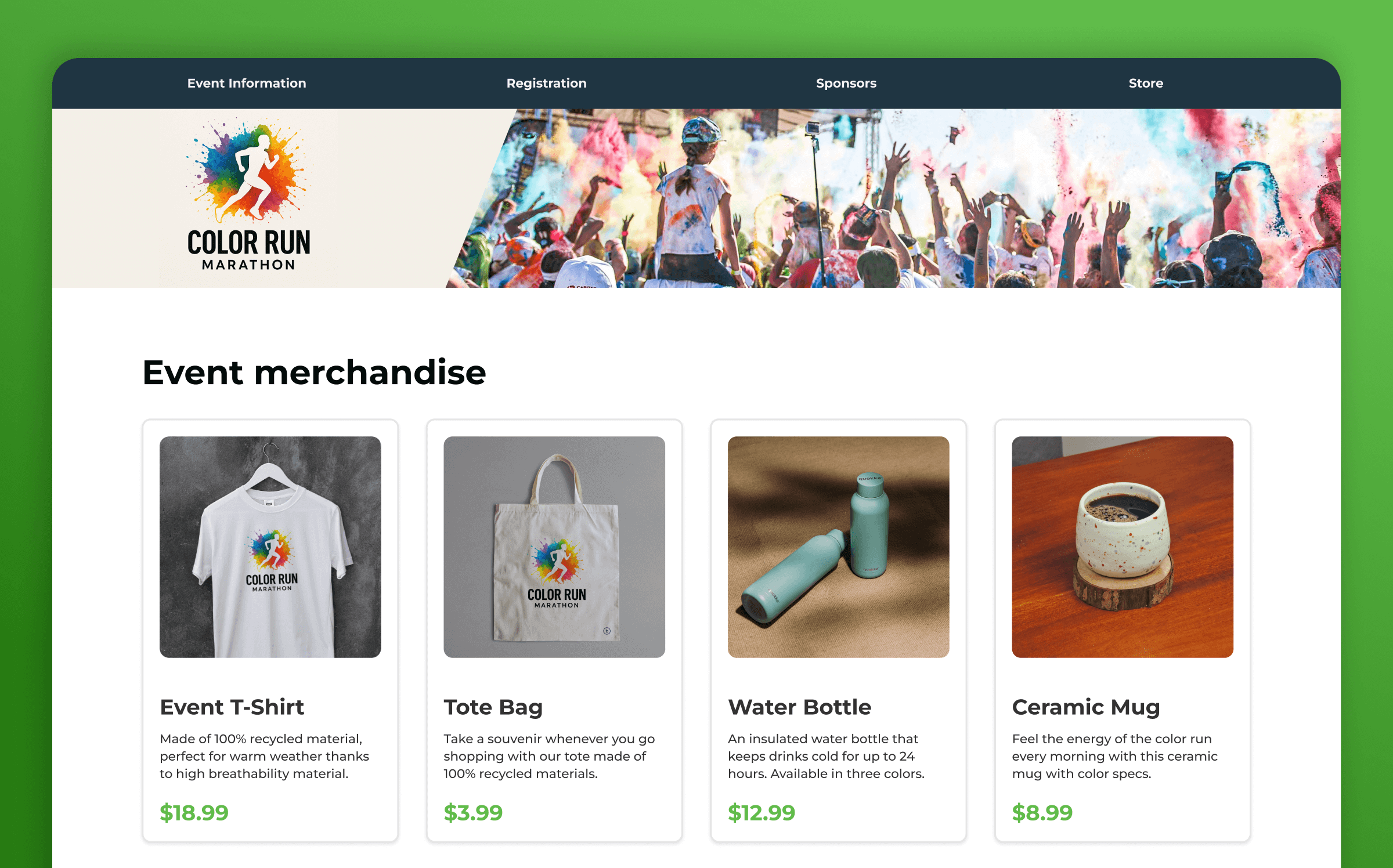
- Designed customizable screens for category and product views
- Integrated with existing registration flow for checkout
- Designed admin tools to manage inventory and track sales over time
- Coded HTML/CSS/JS
Background
Qgiv's peer-to-peer fundraising platform allows people to donate money for fundraising events, create groups and track fundraising goals.
During a redesign project the CX team told us that customers also wanted a store for their fundraising pages. I was in charge of designing the new features and implementing designs on the front end.
Understand & Define
When the request for a store came in, we were in one of our regular meetings with the owners. Since things needed to move fast, I quickly gathered some example sites to use as references in the meeting so we could talk about specifics and make some quick decisions about the scope.
Most of our input came from the CX team since they were our source of direct feedback from customers. I would keep working closely with them to understand what basic features people needed for the first release.
Main inputs
- E-commerce examples
- Customer requests
- Feedback given to CX
Main Feature Requirements
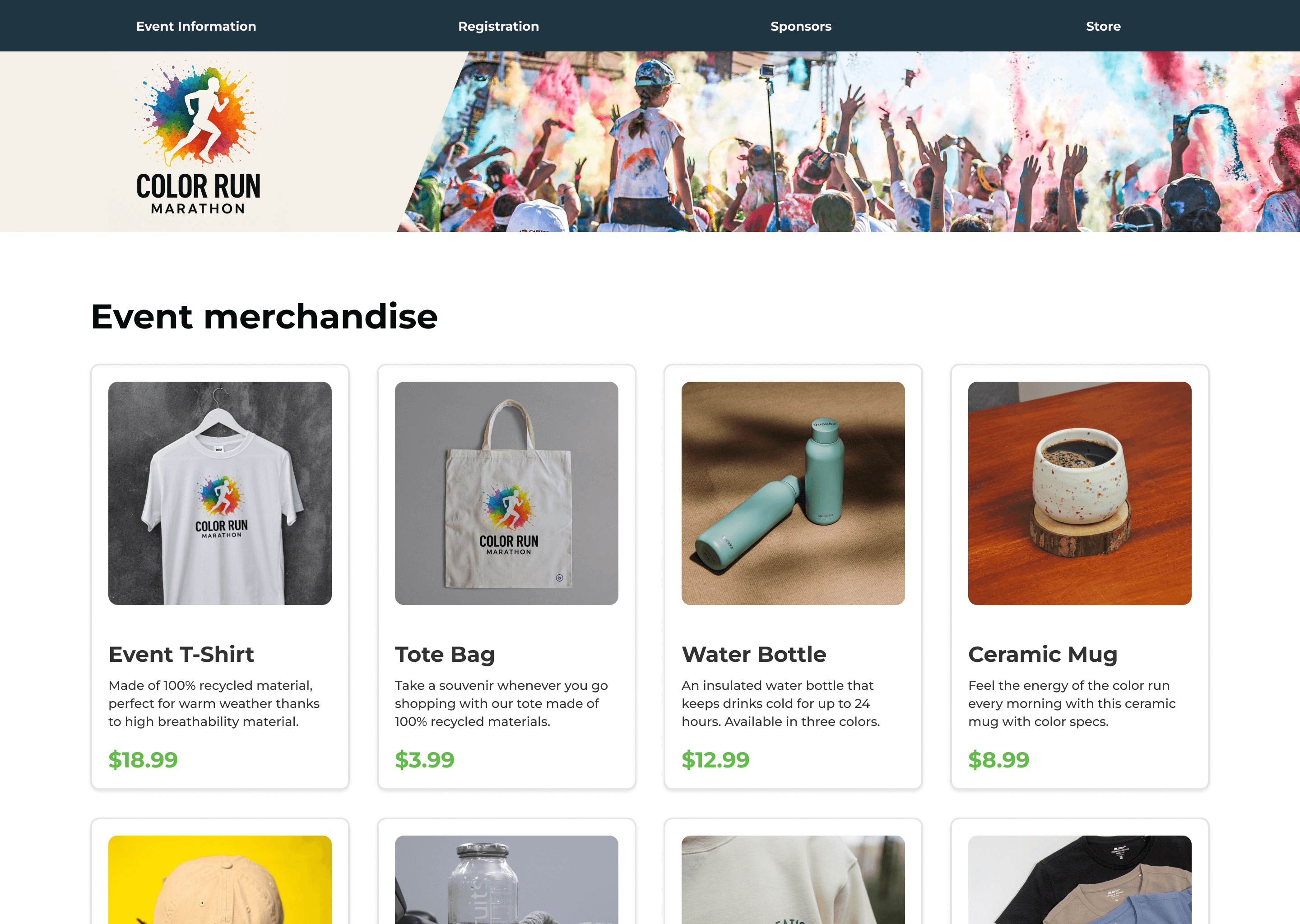
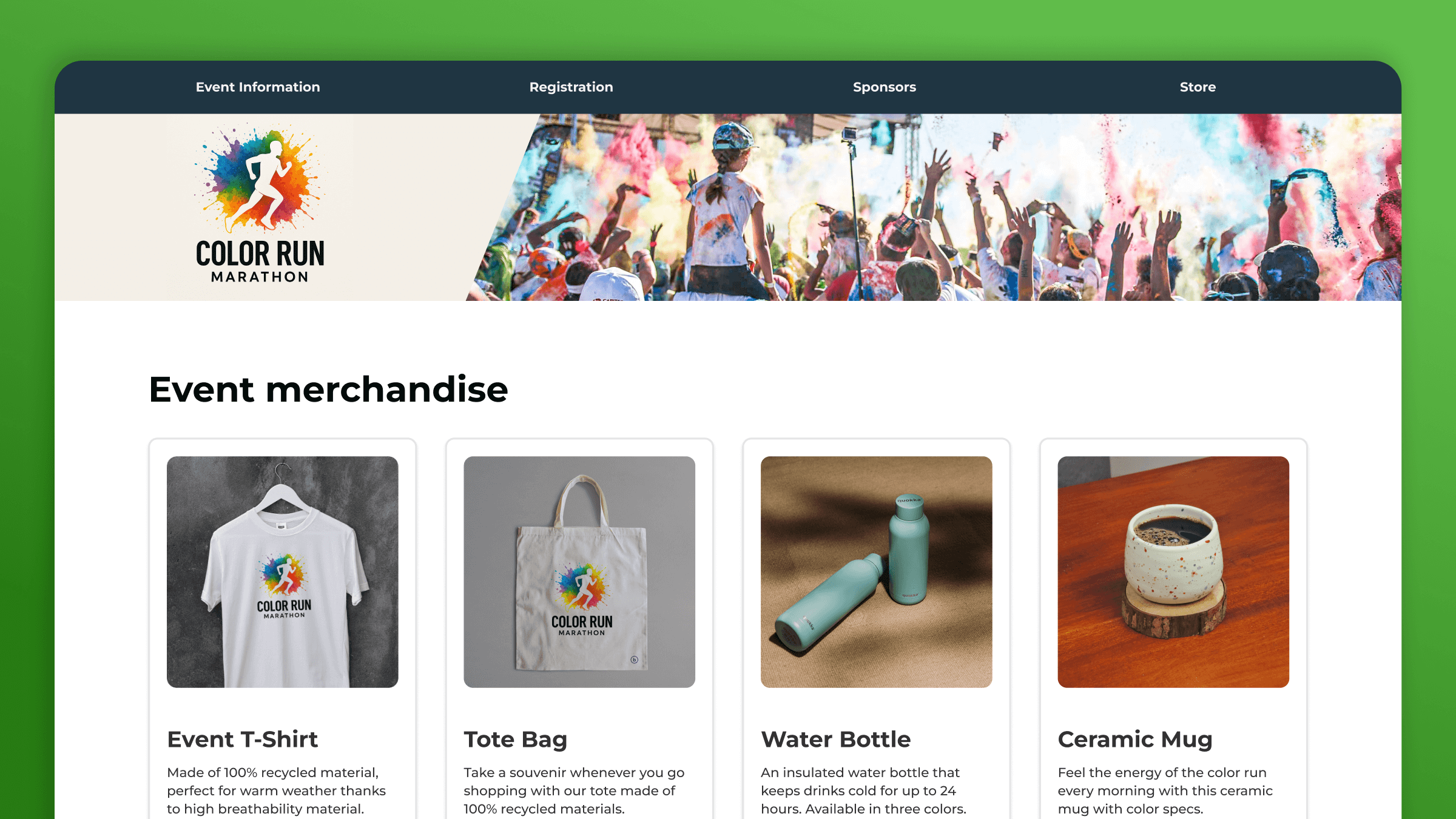
A storefront
To display all products, grouped by their category
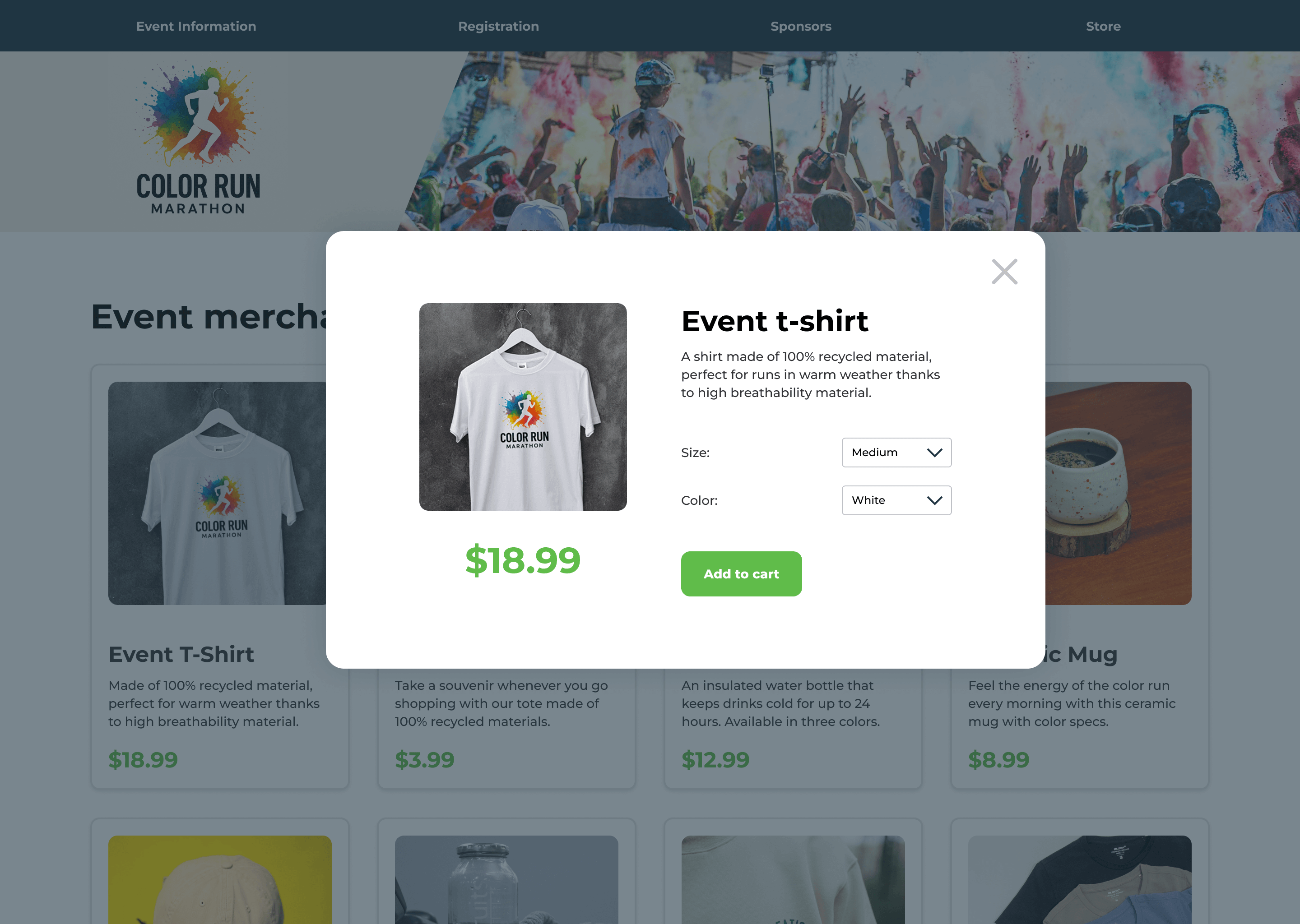
Product detail view
Shown in a modal to accommodate different product placements
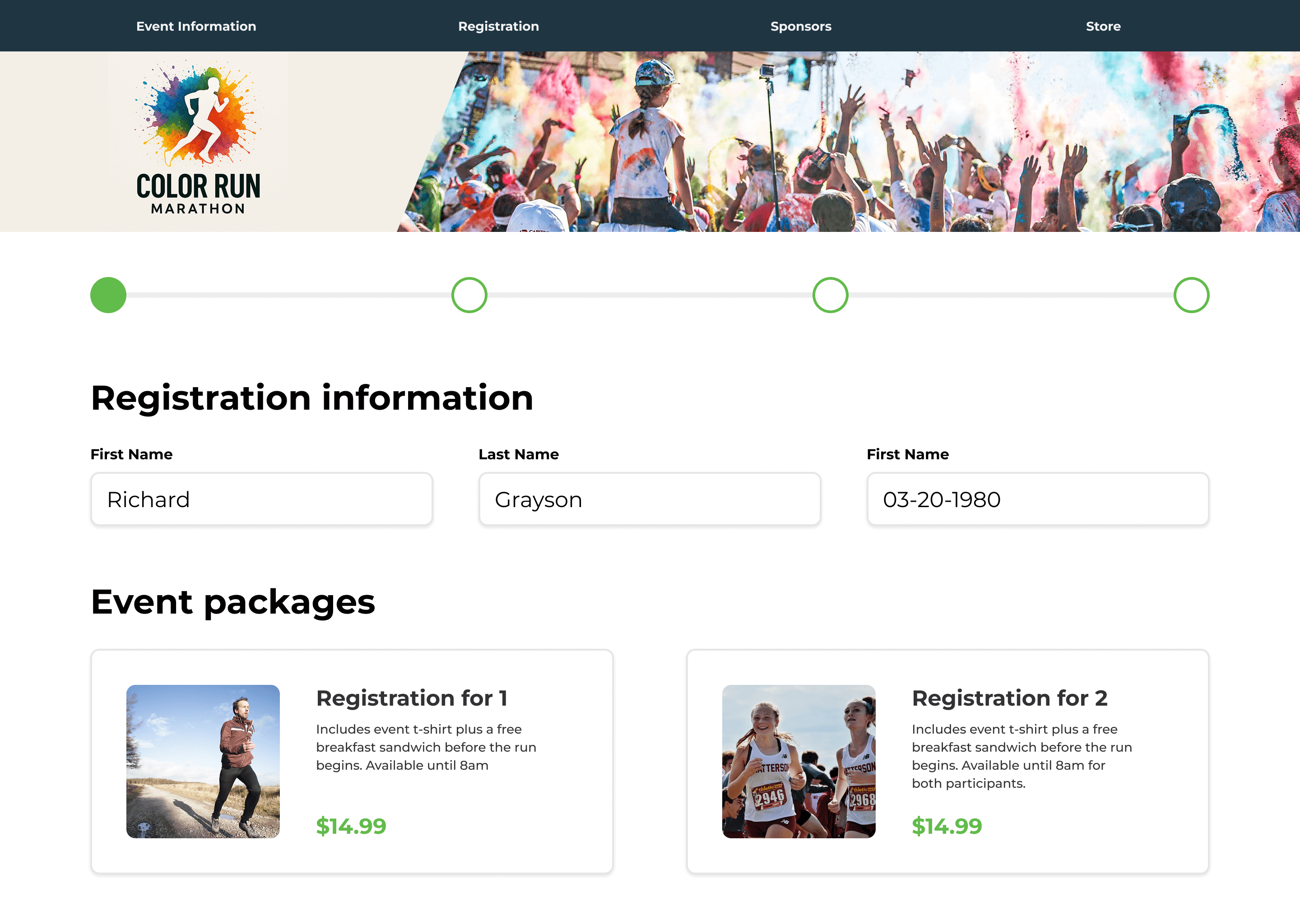
Event integration
A common request was to allow for specific products to be sold during the event registration flow
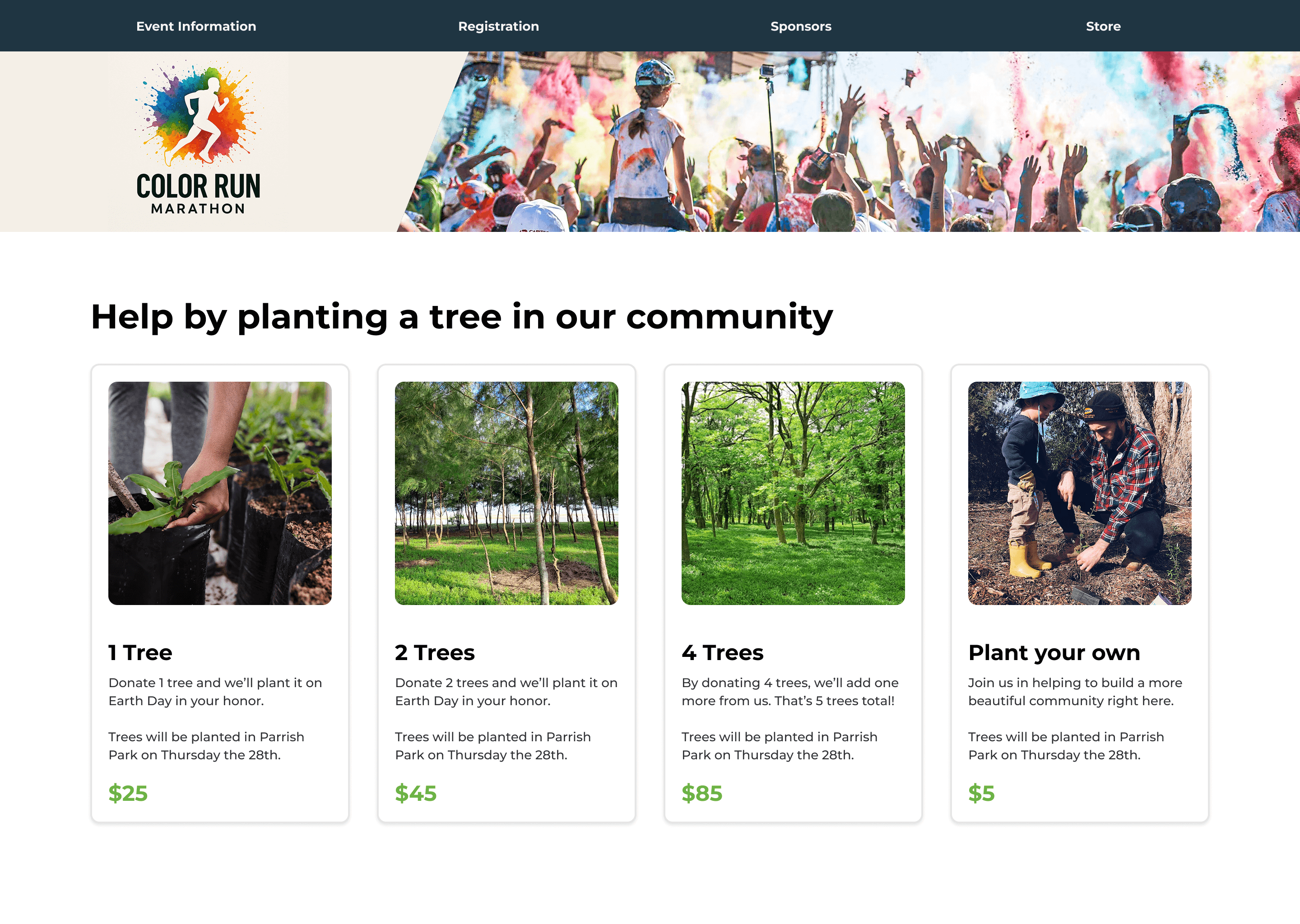
Category pages
Allow event managers to promote a specific product or collection separate from the full storefront
In the control panel for event managers:
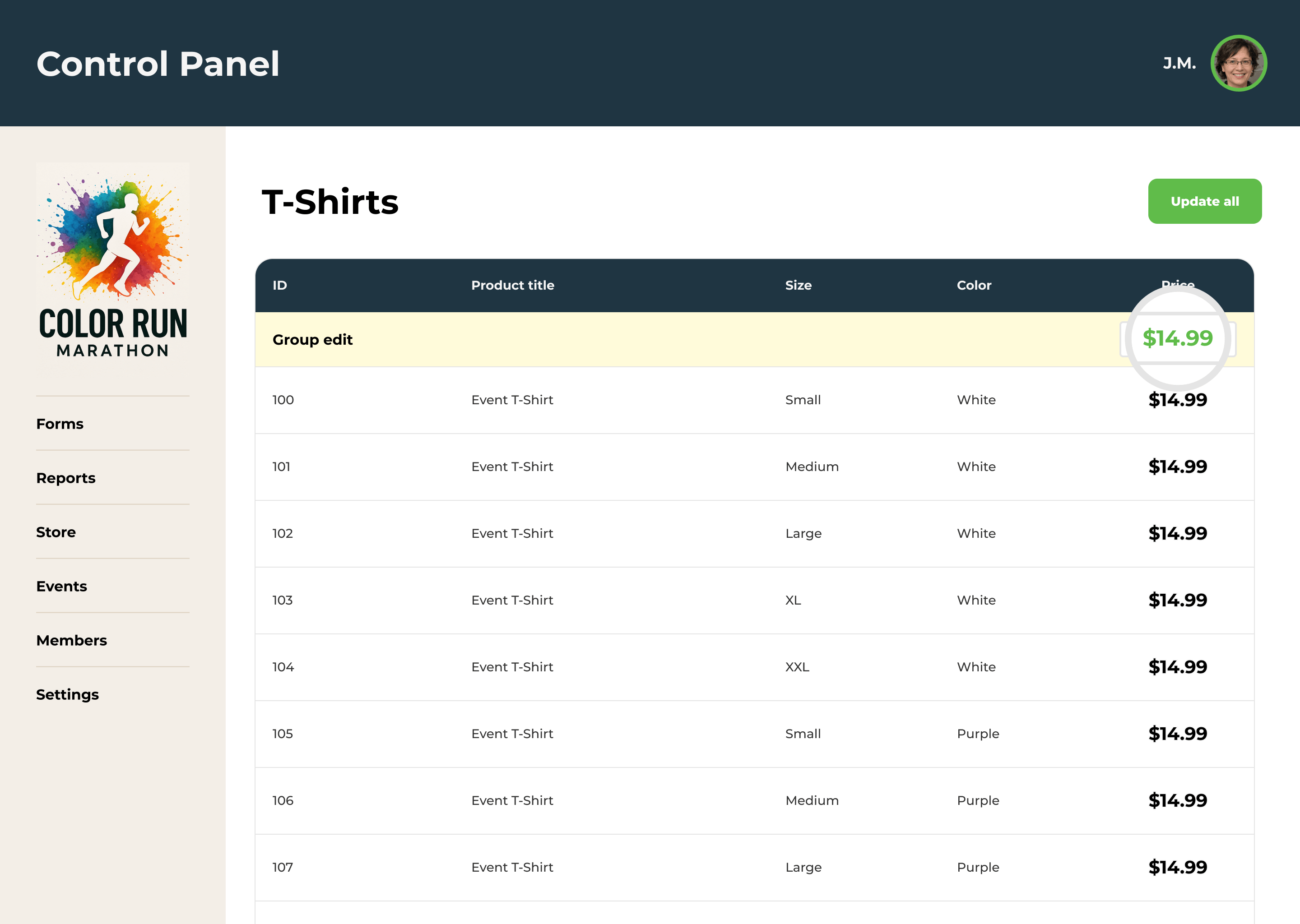
Inventory management
A tabular view of all products, with the ability to edit prices and other details
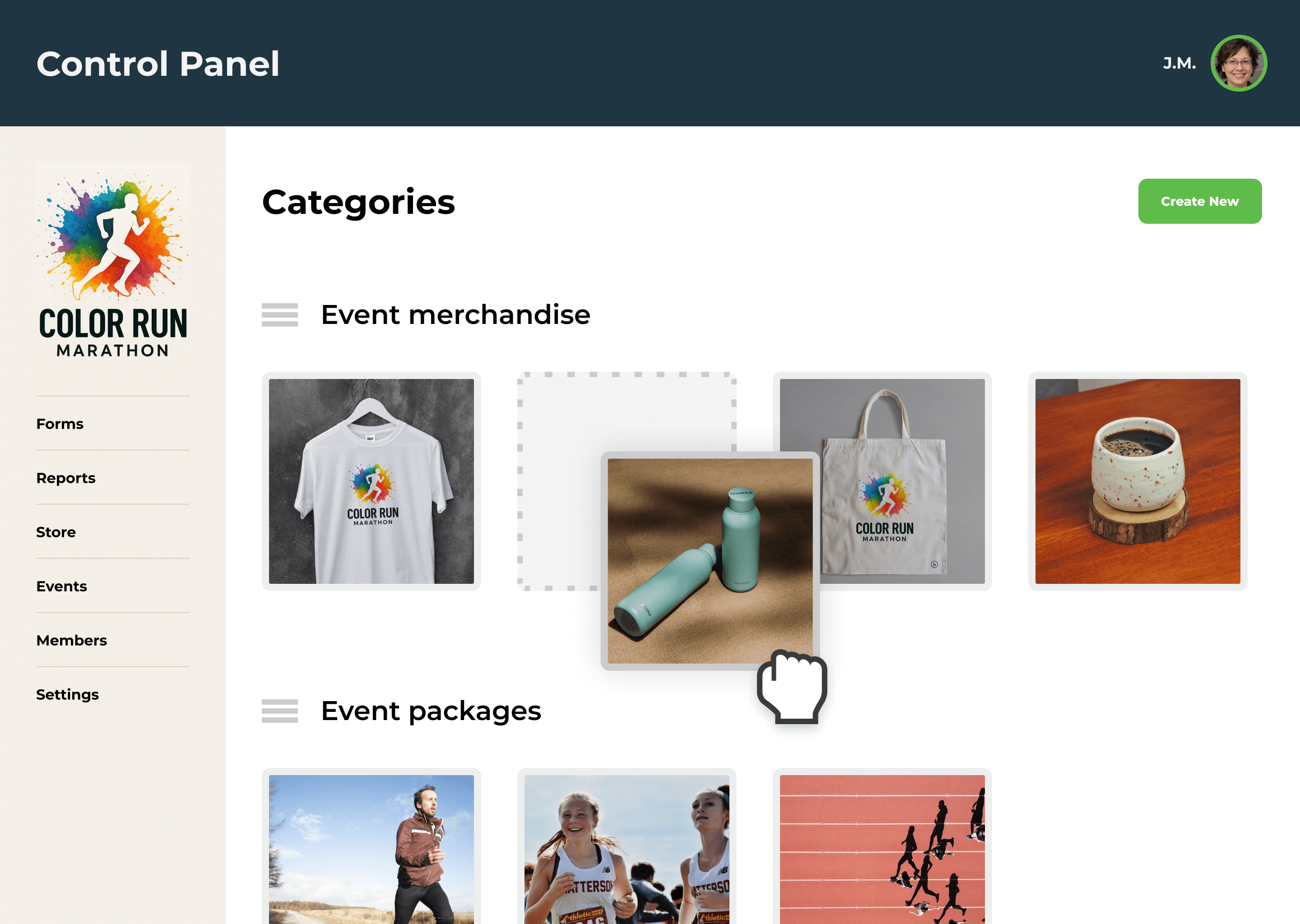
Category management
A drag-and-drop interface to make it easy to move products between categories and control the order
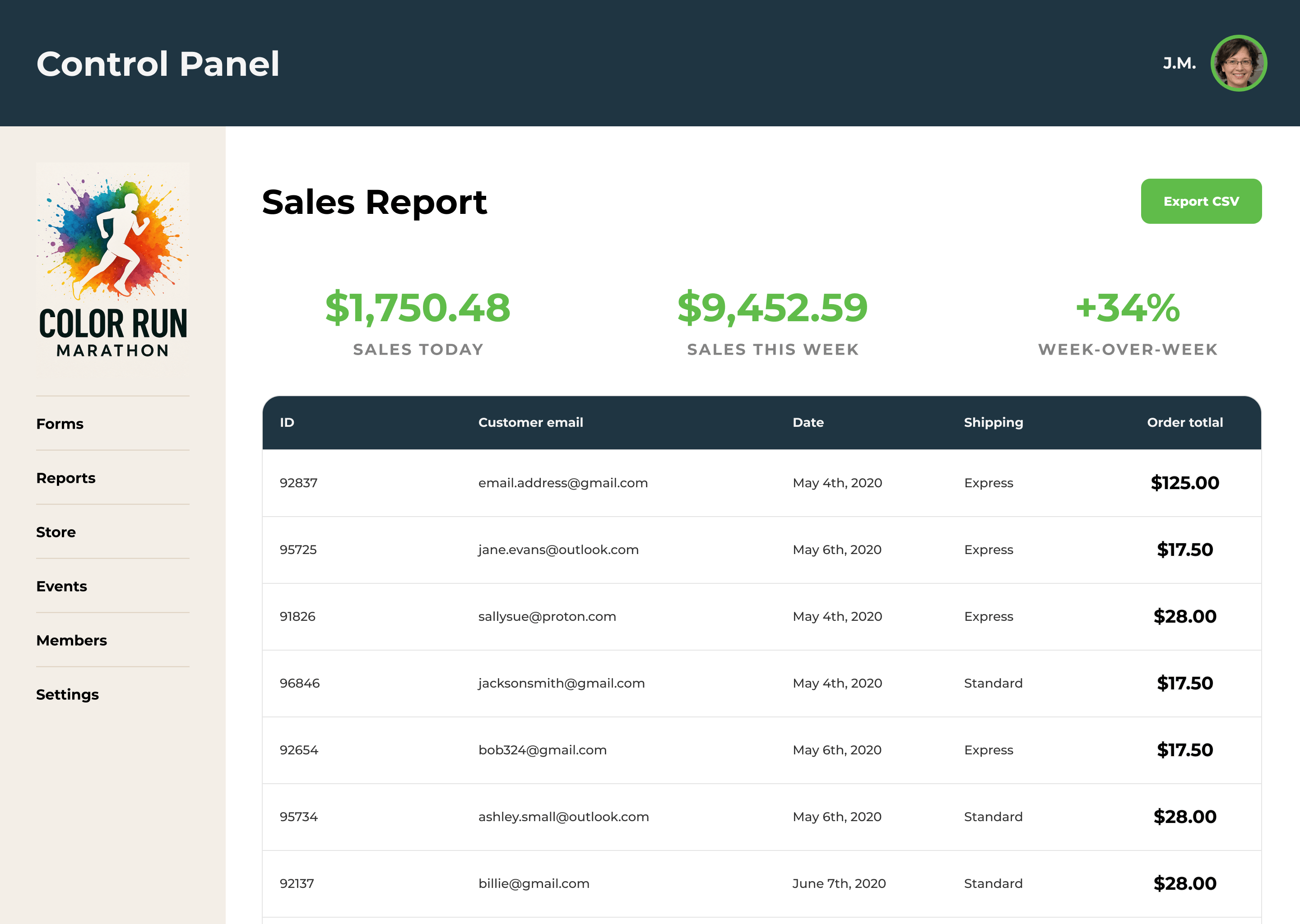
Reporting
Adding transaction history and revenue metrics to existing reporting tools
Testing and Prototyping
I created mockups using an example case from one of our customers and shared designs in our next weekly update with leadership to make sure everyone was aligned on features and the MVP state for launch.
After a few iterations I was able to already start building out some of the basic features in the front-end with our design system. This is also when I finished clarifying the technical details with engineers.
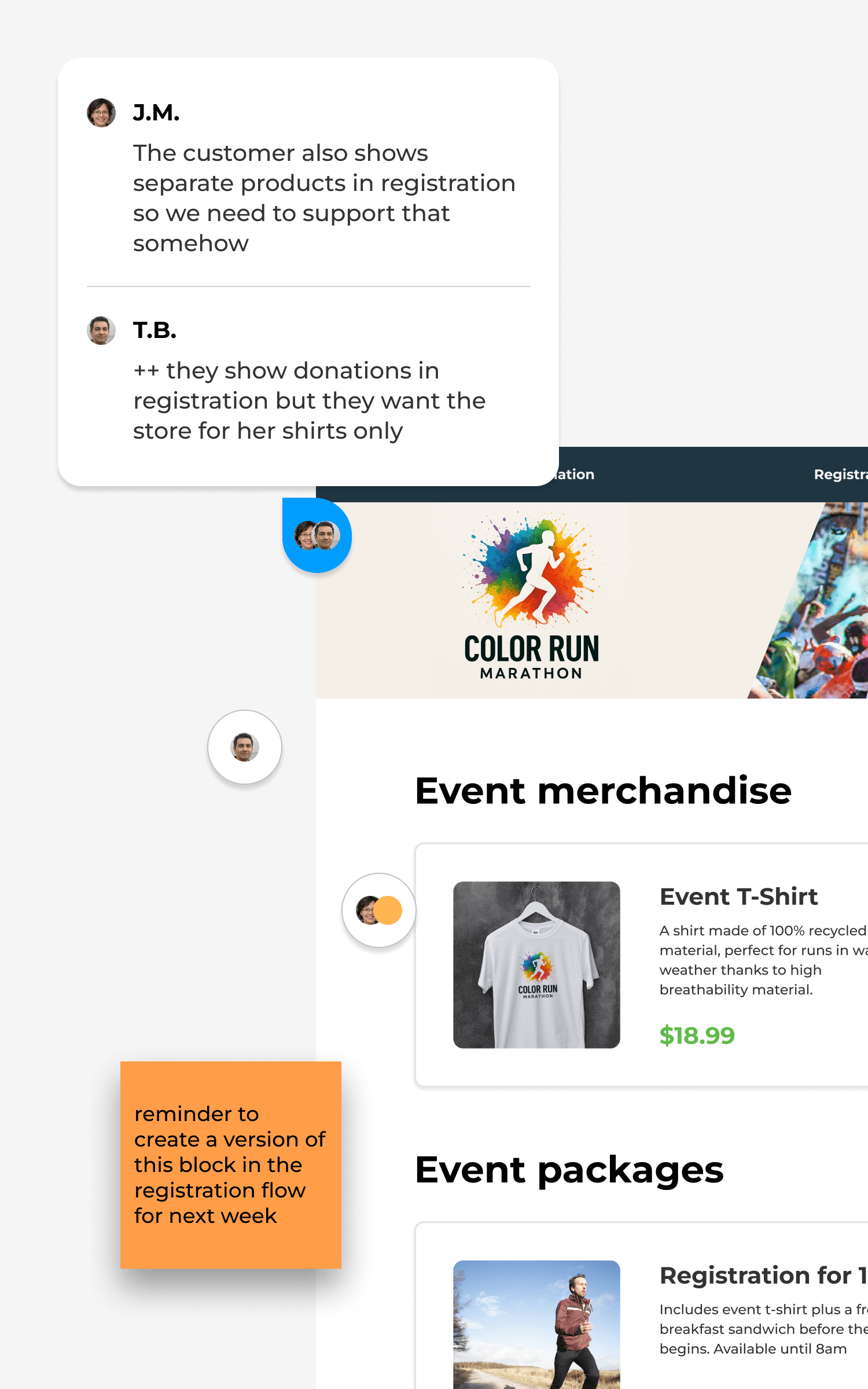
We shared the early version with some customers who volunteered to test and based on their feedback we made a few changes.
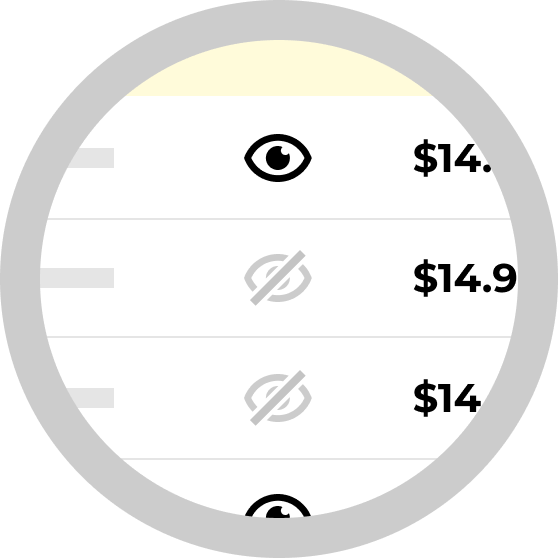
“Invisible” Inventory
People wanted to hide certain items in the online store so we added a toggle to the inventory table

Category widgets
Some events required selling specific products on a given page, a store widget makes that possible
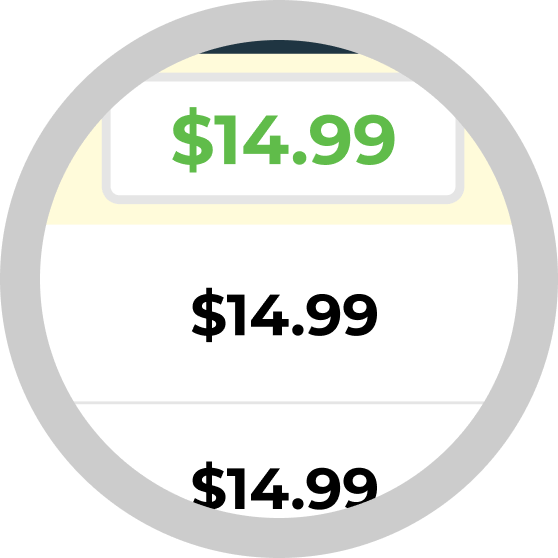
Bulk inventory management
Event managers getting started would need to input large amounts of data into the store so the engineers added a CSV upload to make it easier
Outcome
We used feedback received through the CX team to find out how others were using it and documenting any bugs or issues they had.
Over time the feature would get used by more of our customers, helping them to raise more money for their non-profit organizations and causes. Years later this is still one of the core features of the peer-to-peer platform.